Loading...
Back to Insights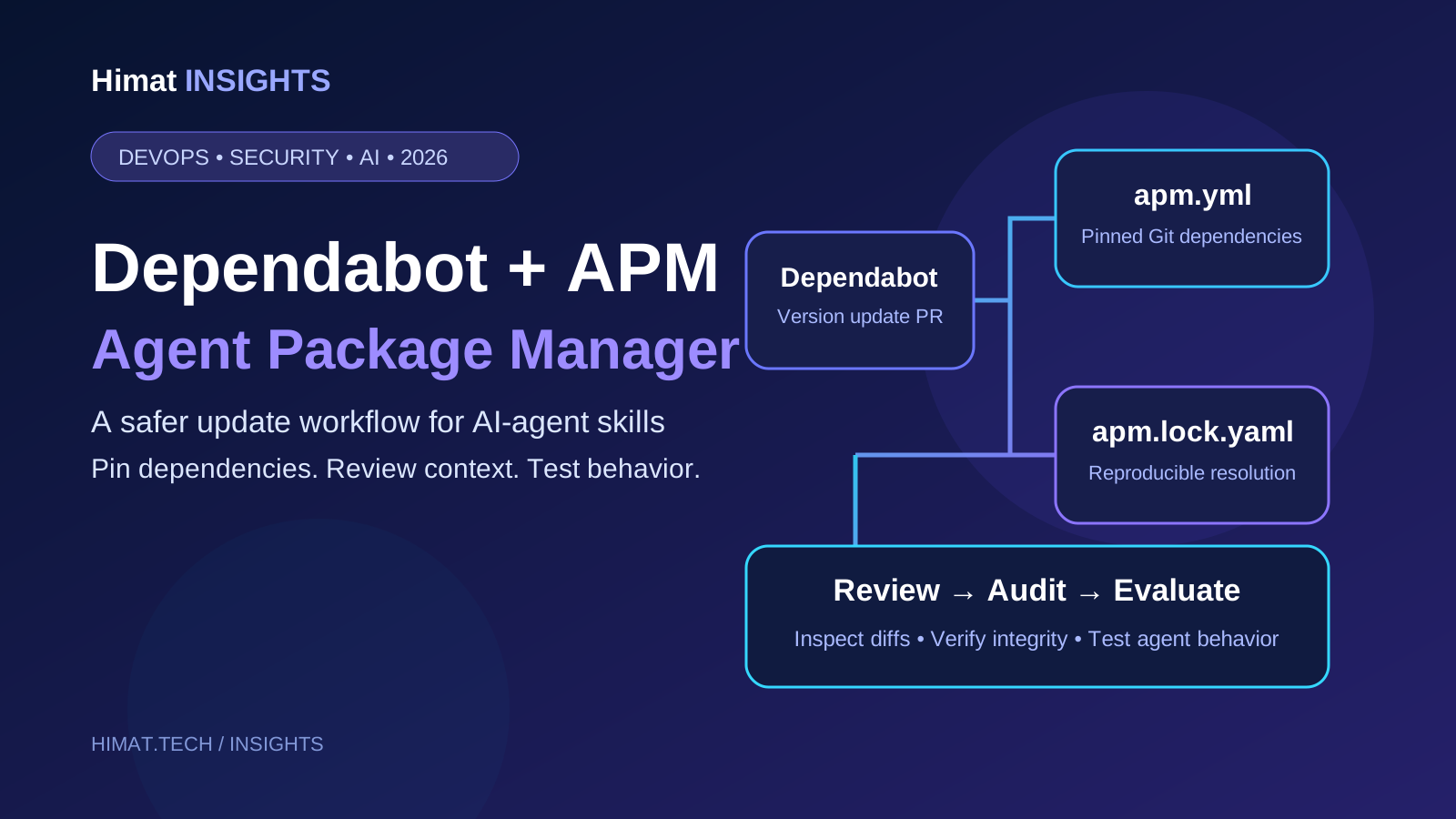
AI Agent Engineering & Supply Chain
Dependabot for APM: Update AI Agent Skills Safely
Dependabot now updates supported APM Git dependencies. Learn the config, lockfile rules, pin behavior and safe review workflow for AI-agent skills.
Dependabot can propose supported APM version updates, but a reviewed lockfile, integrity checks and agent-behavior evaluations remain necessary before rollout.
Quick Answer
On November 3, 2026, GitHub added Dependabot version-update support for Agent Package Manager (APM). Dependabot can open pull requests for supported Git dependencies declared under `dependencies.apm` and `devDependencies.apm` in `apm.yml`. If the repository already has `apm.lock.yaml`, Dependabot regenerates it during the update. This is version-update support only: it does not create security updates for APM, does not create a missing lockfile, and does not update every APM dependency form.
For teams sharing AI-agent skills, prompts, instructions and related context across repositories, the change adds a familiar pull-request workflow to dependencies that can directly change agent behavior. The safe approach is to pin sources, commit the lockfile, review every context change and run agent-specific checks before merging.
What changed on November 3, 2026?
GitHub announced that Dependabot can update supported Git dependencies declared in APM manifests. The capability is generally available on github.com for all GitHub plans and is planned for GitHub Enterprise Server 3.24. The announcement explicitly covers version updates, not security updates.
Setup is small: add an `apm` entry to `.github/dependabot.yml`, point it at the directory containing `apm.yml`, and choose a schedule. The important work is deciding which agent dependencies may move, how the lockfile is reviewed, and what must pass before new context reaches developers or production agents.
Read the GitHub announcement and the supported APM dependency reference. The GitHub reference is the operational source of truth for supported manifest forms and pin behavior.
What is Agent Package Manager?
Agent Package Manager is an open-source dependency manager for AI-agent context. A project declares reusable instructions, prompts, skills, agents, hooks, plugins and MCP-related configuration in an `apm.yml` manifest. APM resolves those dependencies and writes an `apm.lock.yaml` lockfile containing resolved references and content hashes.
Think of the manifest as the requested dependency set and the lockfile as the reproducible resolution. A developer can install the same pinned context on another machine, while the project can review source-reference changes and generated agent files in Git.
APM is not a replacement for npm or pip, and it is not a runtime sandbox. It manages context and integration files used by supported agent harnesses; it does not manage ordinary application libraries or decide what an agent is authorized to do. See the APM project and its install-packages guide.
What Dependabot actually updates
Dependabot reads Git dependencies in `apm.yml` under both `dependencies.apm` and `devDependencies.apm`. Its behavior depends on the pin:
| Manifest pin | Dependabot behavior | Review focus | | --- | --- | --- | | SemVer tag, such as `owner/skills#v1.2.0` | Moves to the latest supported SemVer tag, including documented package-scoped tags. | Release notes, breaking changes and the actual skill or prompt diff. | | Full 40-character commit SHA | Moves to the commit associated with the latest annotated, non-prerelease release tag; the tag is added as a comment. | Confirm that the release is the version your team intends to trust. | | Branch, such as `owner/skills#main` | Updates the resolved commit in `apm.lock.yaml` while leaving the branch in `apm.yml`. An existing lockfile is required. | Review the exact commit diff because the branch can move independently of a release. |
When `apm.lock.yaml` exists, Dependabot regenerates it by running the APM lock operation. If the lockfile is absent, Dependabot does not create one. Commit a valid lockfile before relying on lockfile-based reproducibility.
Important exclusions
This is not support for every line in an APM manifest. The GitHub reference says Dependabot does not update:
- Object-form entries such as `git:`, `registry:`, `id:` or `path:` maps, and `mcp:` entries. - Entries without an explicit ref, local paths, or Azure DevOps-hosted entries. - Clone URLs using `http://` or `git://`. - YAML block scalars, quoted strings containing escape sequences, or abbreviated commit SHAs. - Certain shorthand entries when `registries.default` is configured.
Private Git dependencies can use Git registry configuration, but verify the exact arrangement against the GitHub APM support reference. APM dependencies expressed as MCP server entries are not updated by this Dependabot integration; review those separately.
Configure Dependabot for APM
Start with one repository that already has a working APM manifest and lockfile. Do not enable updates across every agent package before you understand the diffs and test process.
1. Commit the manifest and lockfile
A minimal example:
```yaml name: support-agent version: 1.0.0 dependencies: apm: - microsoft/apm-sample-package#v1.0.0 - github/awesome-copilot/skills/review-and-refactor#v1.2.0 devDependencies: apm: - acme/internal-agent-test-skills#v0.4.0 ```
The names illustrate the manifest shape; replace them with sources your team has inspected. Run `apm install`, inspect the deployed files, and commit `apm.yml` and `apm.lock.yaml`. APM recommends committing the manifest, lockfile and target-owned files while keeping the package cache out of Git.
2. Add an APM update rule
Create or update `.github/dependabot.yml`:
```yaml version: 2 updates: - package-ecosystem: "apm" directory: "/" schedule: interval: "weekly" open-pull-requests-limit: 5 ```
The `directory` value is the directory containing `apm.yml`, not necessarily the repository root. In a monorepo, add a separate entry for each manifest location. Start with a weekly schedule and a modest pull-request limit; increase frequency only when reviewers can evaluate updates promptly.
3. Choose pins intentionally
Use release tags for packages with a dependable release process. Full commit SHAs provide an explicit source reference, but Dependabot resolves them to the latest annotated, non-prerelease release tag rather than simply following the newest commit. Branch pins are useful when a package intentionally tracks a moving branch, but they need a lockfile and commit-level review.
Avoid unpinned dependencies for shared or production agent context. A manifest that names only an owner and repository is not updated by this integration and gives reviewers less information about the intended version boundary.
4. Keep CI deterministic
Use the lockfile as the CI contract. A useful baseline is:
```bash apm install --frozen apm audit --ci ```
The frozen install is intended for CI and fails when the checked-in lock state is not usable as-is. The `apm audit --ci` mode provides CI-focused lockfile-consistency and deployed-file-drift checks. The default `apm audit` content scan also checks for hidden Unicode and related integrity issues. Neither mode is a semantic review of whether a skill is safe, accurate or appropriate for your business.
See the APM install guide and APM audit reference.
Treat an agent-context update like a code change
A dependency update can change how an agent interprets a task, what tools it calls, which sources it trusts, how it handles secrets, or when it asks for approval. A green dependency resolver does not prove the new behavior is acceptable.
Use a consistent pull-request review:
1. Verify provenance. Confirm the source repository, maintainer, release tag and commit. Check for ownership or publishing-process changes. 2. Read the content diff. Review instructions, prompts, skills, hooks and generated files. Look for new shell commands, network destinations, tool names, permission requests and instructions that attempt to override project policy. 3. Inspect transitive changes. A small top-level bump may bring new packages or MCP declarations. Review newly introduced transitive MCP servers rather than accepting them silently. 4. Run integrity checks. Use APM install and audit checks, then run your own secret, dependency and policy checks. Hidden-Unicode detection is useful, but it does not prove natural-language instructions are benign. 5. Run behavior evaluations. Replay fixed tasks covering normal requests, ambiguity, untrusted retrieved content, prompt-injection attempts, refusals and tool boundaries. 6. Merge deliberately. Require an owner for agent behavior, keep a rollback commit, and deploy to a limited environment before broad rollout.
For organizations using `apm-policy.yml`, remember that APM policy governs what gets installed, not what runs. It can constrain dependency sources and MCP declarations at install time, but it is not runtime authorization. Keep tool permissions in the application and backend.
Why this matters for GEO and content operations
A content engine may use shared skills and prompts to research a topic, compare primary sources, draft an article, generate FAQs and add internal links. Those instructions are part of the publishing supply chain. If a research skill changes, the output can change even when the website code does not.
Versioning those dependencies makes the change visible and reviewable. Dependabot can surface supported upstream version changes, but it cannot verify that facts are current, citations support claims, internal links resolve, or generated pages follow editorial rules.
For a GEO-first publishing workflow, pair dependency updates with checks for source dates and provenance, claim-to-source support, correct product versions and availability, canonical URLs and metadata, FAQ accuracy, and human review. Keeping agent context current is not the same as proving that its output is publishable. For the wider control model, see HiMat's GEO agentic context governance guide.
Useful HiMat resources
HiMat's AI Agent Development service and AI Automation solutions are relevant to teams integrating reviewed agent workflows with business systems.
The AI Evaluation Dataset Generator can help prepare regression cases. The MCP Security & Permission Auditor provides static checks for MCP configuration. These tools have limited scopes: neither is an APM package scanner or a substitute for security review.
For related architecture, read AI Agent Identity and Least-Privilege Security, Google Connected Apps and MCP integration, and Akamai Agent Sandbox and WebAssembly execution.
Frequently asked questions
Does Dependabot create security alerts for APM packages?
No. GitHub announced APM support for version updates, not security updates. Do not treat it as vulnerability detection for agent skills, prompts or instructions.
Does Dependabot update both production and development APM dependencies?
Yes. The supported ecosystem reference says entries under both `dependencies.apm` and `devDependencies.apm` are updated, subject to the documented pin and manifest limitations.
Will Dependabot create apm.lock.yaml if my repository does not have one?
No. Dependabot regenerates the lockfile when it is already present. It does not create a missing `apm.lock.yaml`. Commit a valid lockfile before relying on reproducible installs.
Does Dependabot update MCP server entries inside apm.yml?
No. The current support reference excludes `mcp:` entries. Review MCP server changes separately, including transport, endpoint, authentication, permissions and version provenance.
What happens when an APM dependency is pinned to a branch?
Dependabot updates the resolved commit in `apm.lock.yaml` while leaving the branch name in `apm.yml`. This requires an existing lockfile. Review the exact commit diff because the branch can move without a new release tag.
Is APM support available on GitHub Enterprise Server?
GitHub's November 3 announcement says APM support is generally available on github.com for all plans and will be available in GitHub Enterprise Server 3.24. Check your GHES version and release notes before assuming it is enabled on a self-hosted instance.
Can APM audit prove that an updated skill is safe?
No. APM install and audit checks help with lockfile consistency, content integrity, hidden Unicode and deployed-file drift. They do not prove that a skill's instructions are correct or harmless. Combine them with source review, evaluations and runtime authorization.
Conclusion
Dependabot support makes AI-agent context easier to maintain through the pull-request process developers already use for code dependencies. The boundary matters: it updates supported APM Git references; it does not perform security updates, create missing lockfiles, update every manifest form or validate agent behavior.
Commit the manifest and lockfile, choose explicit pins, configure a measured schedule, and require review plus evaluations before merging. Treat skills, prompts and instructions as software dependencies because they can change what an agent does. Keep authorization and final safety decisions in the application that runs the agent.
Previous Article
Google Connected Apps: MCP Guide for Search & GeminiNext Article
Tencent Hy4 on Vercel AI Gateway: Next.js GuideExplore other service pillars
Related articles
- AI Security & Agentic EngineeringAI Agent Identity in 2026: Why Least-Privilege Access Is Becoming the New Security PerimeterAI agents are moving from chat interfaces into APIs, SaaS tools, cloud platforms, and business workflows. Learn how to give agents their own identity, scoped permissions, short-lived credentials, delegation controls, and auditable actions without turning automation into an over-privileged security risk.
- Technical SEO & GEO EngineeringGEO Agentic Context Governance: A Practical Zero-Trust ArchitectureA practical guide to governing enterprise AI retrieval with identity-aware access, data minimization, redaction, source provenance, and audit trails, with implementation patterns and validation guidance.
- AI Search & MCP EngineeringGoogle Connected Apps: MCP Guide for Search & GeminiBuild a Google Connected App with a remote MCP server. Learn OAuth 2.1, tool schemas, platform policies, preview testing, and launch requirements.